
All Technical Information for Your Vehicle — In One Place
Modern vehicles rely on complex electronic systems, control units, wiring networks, and software functions. When you need to diagnose a fault, understand a system, trace a circuit, or identify a technical issue, having the right vehicle-specific information is essential.
Our Vehicle Technical Information Service provides a structured collection of technical information for a specific vehicle, including DTC information, wiring diagrams, function schematics, connector information, Technical Service Bulletins (TSBs), campaigns, and safety recalls. With the information organized through an easy-to-navigate index, you can quickly find the technical data you need for your vehicle and support the diagnosis, troubleshooting, and repair process.
This service provides a structured collection of technical information for a specific vehicle, helping vehicle owners and repair professionals find the information they need for diagnosis, troubleshooting and repair.
What Is This Technical Information Service?
Our Vehicle Technical Information Service is a vehicle-specific technical information package designed to help you find and understand the information related to a particular vehicle.
Instead of working with separate documents for different technical areas, the information is organized through a structured index, making it easier to navigate and locate the information you need. Depending on the vehicle, the package can include:
- DTC information.
- Wiring diagrams.
- Function schematics.
- Connector information.
- Technical Service Bulletins (TSBs).
Whether you are a vehicle owner trying to understand a specific problem or a workshop looking for technical information during diagnosis and repair, the service gives you a practical reference for exploring the vehicle’s systems, electrical circuits, components, and related technical information.
How Does It Work?
Accessing the vehicle’s technical information is simple. After receiving the vehicle-specific information package, you can open the main index and navigate directly to the technical information you need.
01. Download the Vehicle Information Package
Download the complete technical information package for your vehicle.
02. Open index.html
After extracting the package, open the index.html file. This is the main entry point for navigating the available technical information.
Important: Keep the
index.htmlfile together with thepagesandassetsfolders. Do not move, rename, or delete individual files or folders.
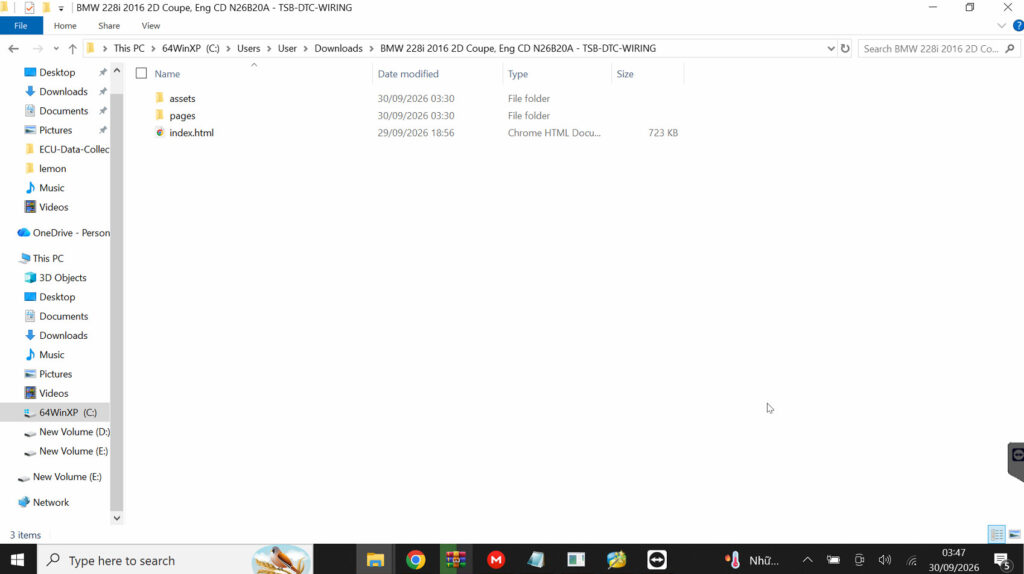
03. Find the Information You Need
Use the index to browse the available technical information, or use CTRL + F to quickly search for a DTC, system, component, or other available keyword.
04. Open the Technical Information
Select the relevant result to open the corresponding technical page. From there, you can review the available diagrams, technical information, connections, bulletins, or other vehicle-specific data.
Download → Open index.html → Search → Open Technical Information
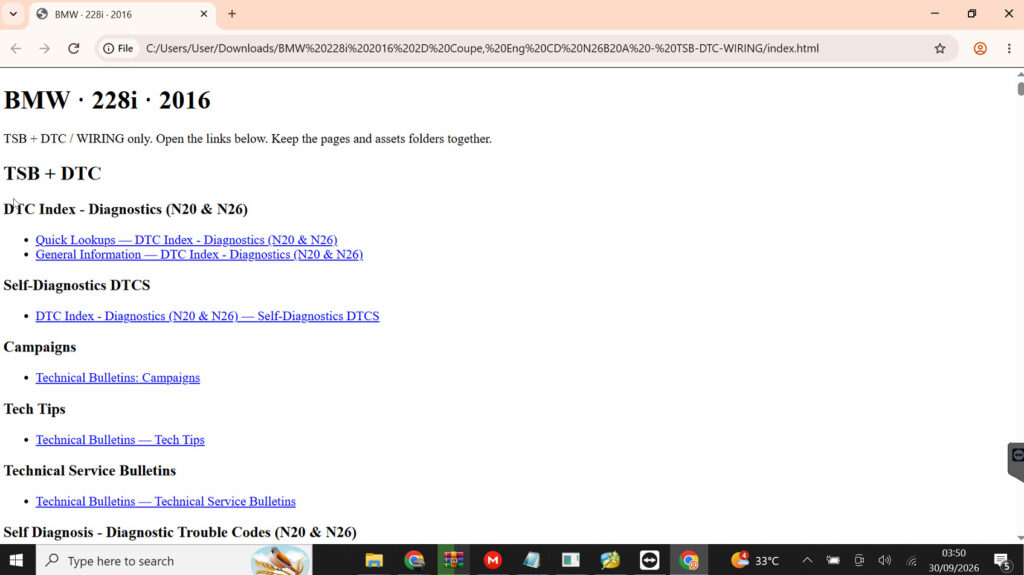
What’s Included in the Vehicle Information Package?
1. DTC Information
Find Diagnostic Trouble Codes
The Vehicle Information Package includes a dedicated DTC (Diagnostic Trouble Code) search function, helping users quickly find technical information related to a specific fault code.
Instead of searching through the entire vehicle documentation manually, users can enter the DTC code and locate the corresponding diagnostic information, including the related system, circuit, or component.
What you can find:
- DTC code and description
- Related system or component
- Diagnostic information and troubleshooting procedures
- Relevant wiring diagrams and electrical circuits
- Connector or component information where available
- Additional technical information needed to identify the cause of the fault
How to use it: Open the vehicle’s information file and use DTC Search. You can also press Ctrl + F to quickly search for a specific DTC code within the documentation.
Example: If a vehicle displays a specific DTC, enter the code into the search function to quickly locate the corresponding diagnostic information and continue with the inspection process.
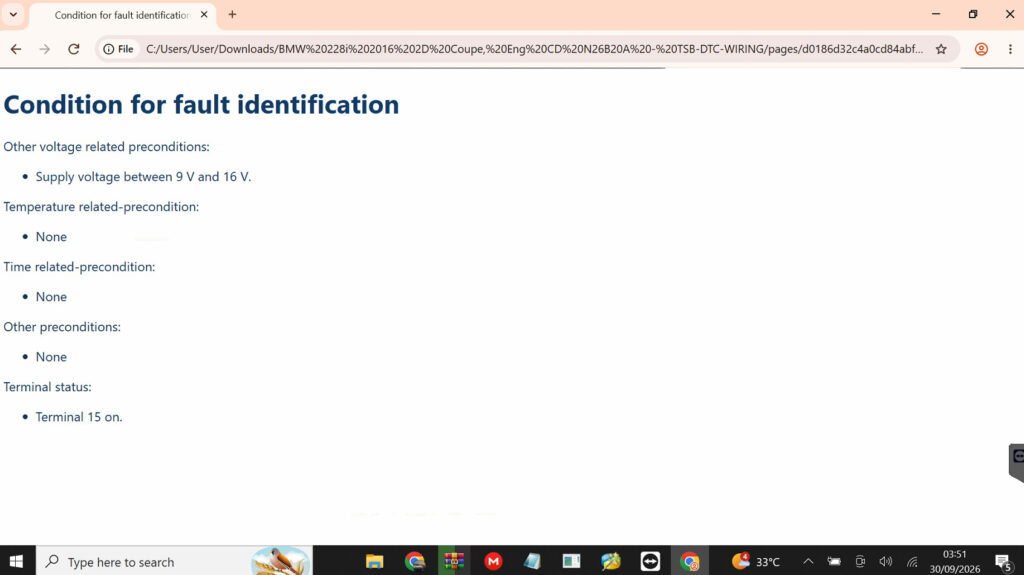
DTC Information
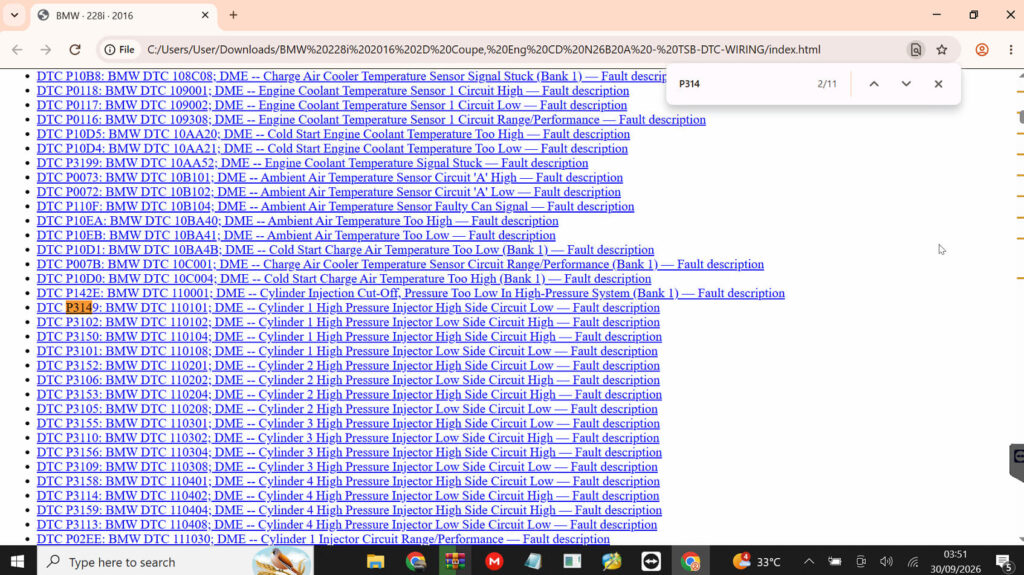
Press Ctrl + F to quickly search for a specific DTC code
4.2 Wiring Diagrams
Trace the Electrical System
The Vehicle Information Package provides detailed wiring diagrams that allow users to understand how the vehicle’s electrical system is connected and how electrical signals and power flow between different components.
This is especially useful when diagnosing electrical faults, communication problems, sensor failures, actuator issues, or intermittent faults.
What you can trace:
- System Wiring – Follow the complete wiring path of a specific vehicle system.
- Control Unit Connections – Identify how ECUs and control modules are interconnected.
- Sensors – Locate sensors, their wiring, power supply, ground, and signal circuits.
- Actuators – Trace the electrical connections controlling motors, valves, relays, and other actuators.
- Power Supply – Identify power sources, fuses, relays, grounds, and power distribution.
- Communication Circuits – Trace communication networks and connections between control units.
- Vehicle Electrical Systems – Understand how individual electrical systems work together across the vehicle.
Why it matters: Instead of checking wires and components individually, users can follow the circuit from one component to another, making it easier to identify where a signal, power supply, ground, or communication path may be interrupted.
Practical use: Select the relevant system → open the wiring diagram → identify the component or control unit → trace its connections through the circuit → use the diagram as a reference during testing and repair.
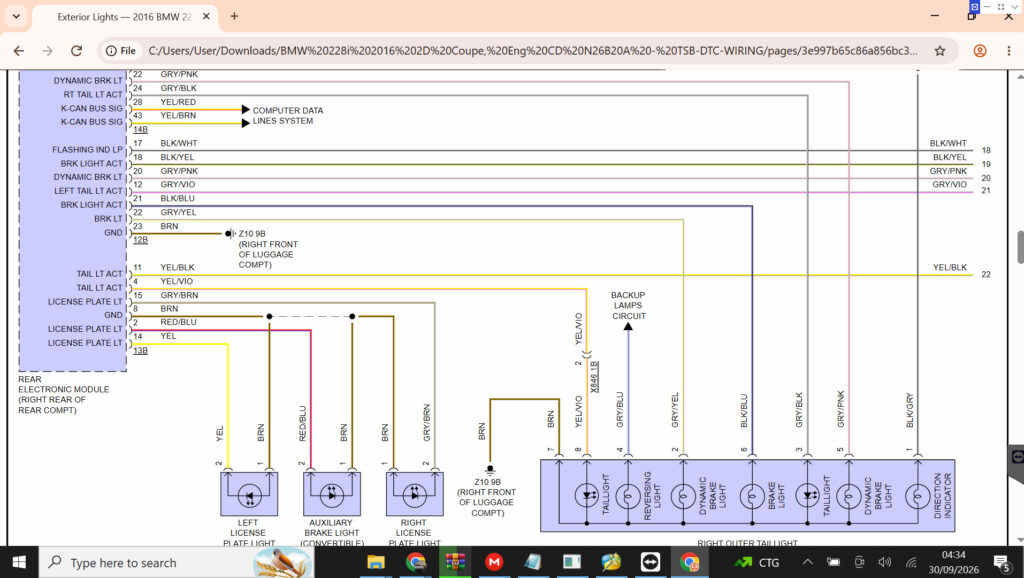
Wiring Diagrams
4.3 Function Schematics
Understand How the System Works
While a Wiring Diagram shows how components are physically and electrically connected, a Function Schematic helps users understand how a vehicle system or function operates.
It provides a functional overview of the system, showing the relationship between control units, sensors, actuators, signals, and operating conditions. This makes it easier to understand the logic behind a vehicle function before moving into detailed diagnosis.
What you can understand:
- System Architecture – See the main components involved in a specific vehicle function.
- Signal Flow – Understand how information moves between sensors, control units, and actuators.
- Control Logic – Understand how a control unit processes inputs and triggers an action.
- Component Interaction – See how multiple components work together to perform a function.
- Operating Conditions – Understand the conditions or signals required for a function to activate.
Examples of Function Schematics:
- Intelligent Drive Control Unit – Understand the interaction between the control unit and related vehicle systems.
- DISTRONIC Distance Pilot – See how sensors, control units, and vehicle functions work together to maintain distance.
- Active Brake Assist – Understand the functional interaction involved in detecting obstacles and supporting braking.
- Emergency Call – Understand the components and communication flow involved in the emergency call function.
- 48V Electrical System – Understand the functional relationship between the 48V components and the vehicle’s electrical architecture.
In short: Use the Function Schematic to understand what the system is supposed to do and how it works; use the Wiring Diagram to determine how to test and trace the actual electrical connections.
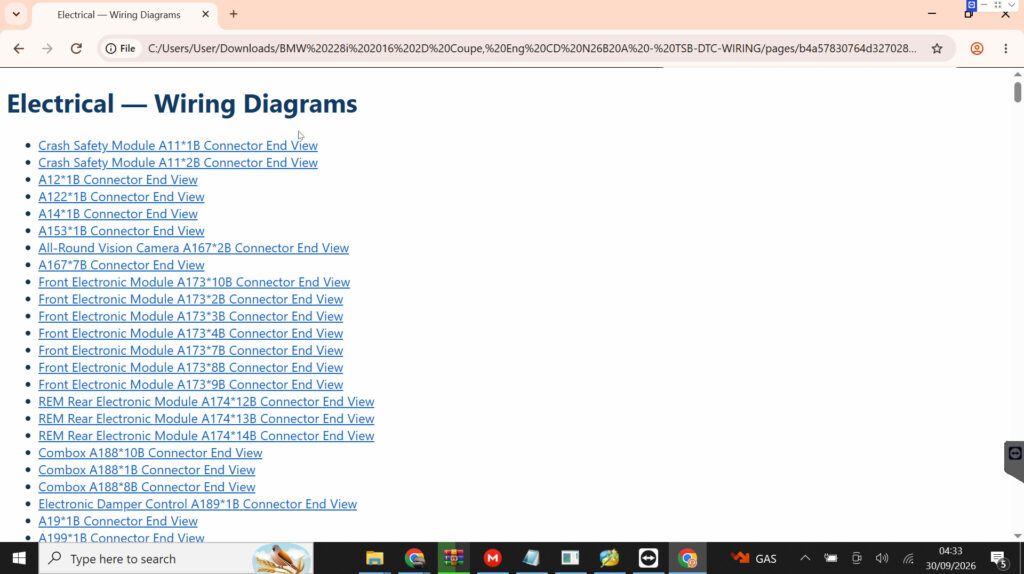
4.4 Connector & Connection Information
Find the Right Connector
The Vehicle Information Package provides connector and connection information to help users identify the correct connector, locate connection points, and understand how components are connected within the vehicle’s electrical system.
This information is particularly useful when working with wiring diagrams and performing electrical testing, component replacement, or fault diagnosis.
What you can find:
- Connectors – Identify the connector associated with a specific component or system.
- Connection Points – Locate where electrical connections are made within the vehicle.
- Related Components – Identify the components connected through a particular connector or circuit.
- Wiring Connections – Understand how wires and circuits connect to the relevant components.
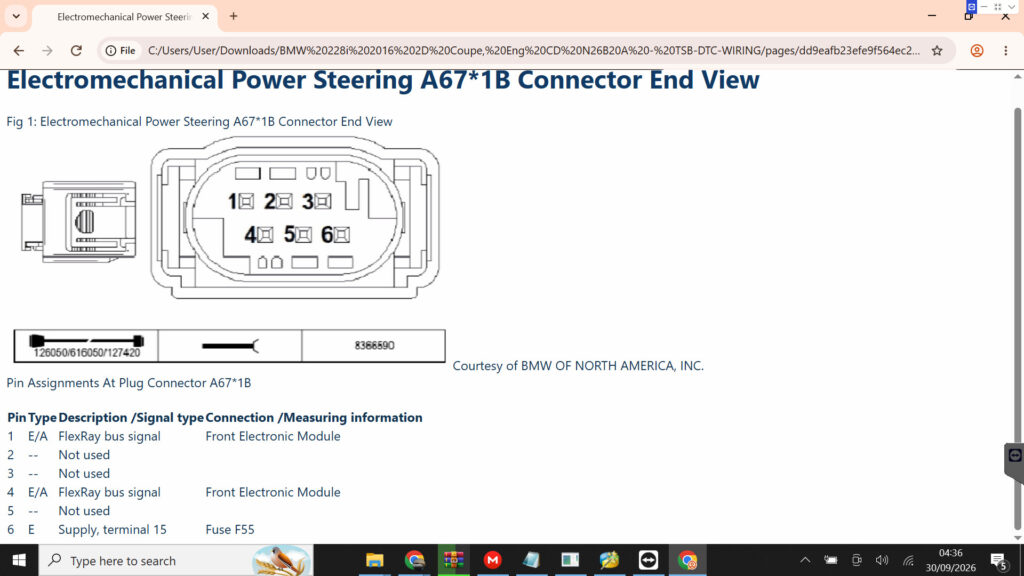
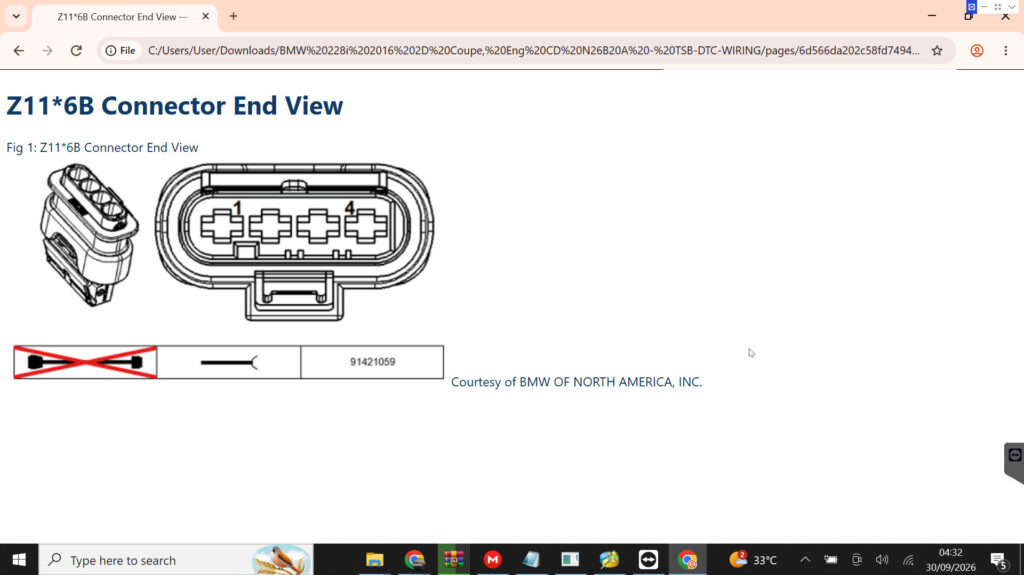
Where available, the documentation may also include connector illustrations or real connector images, making it easier to match the information in the documentation with the actual connector on the vehicle.
Why it matters: When diagnosing an electrical problem, identifying the correct connector is an important first step. Connector information helps users move from the wiring diagram to the physical component, making inspection and testing more straightforward.
Practical use: Find the relevant component or circuit → identify its connector → check the connection information and illustration → locate the connector on the vehicle → continue with testing or repair.
4.5 Technical Service Bulletins
Technical Service Bulletins — Find Known Vehicle Issues
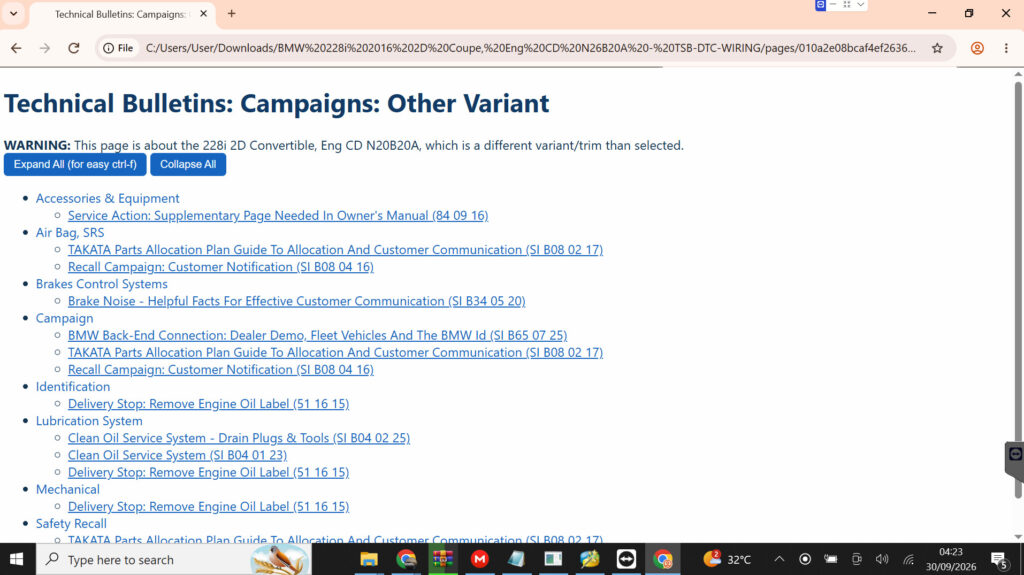
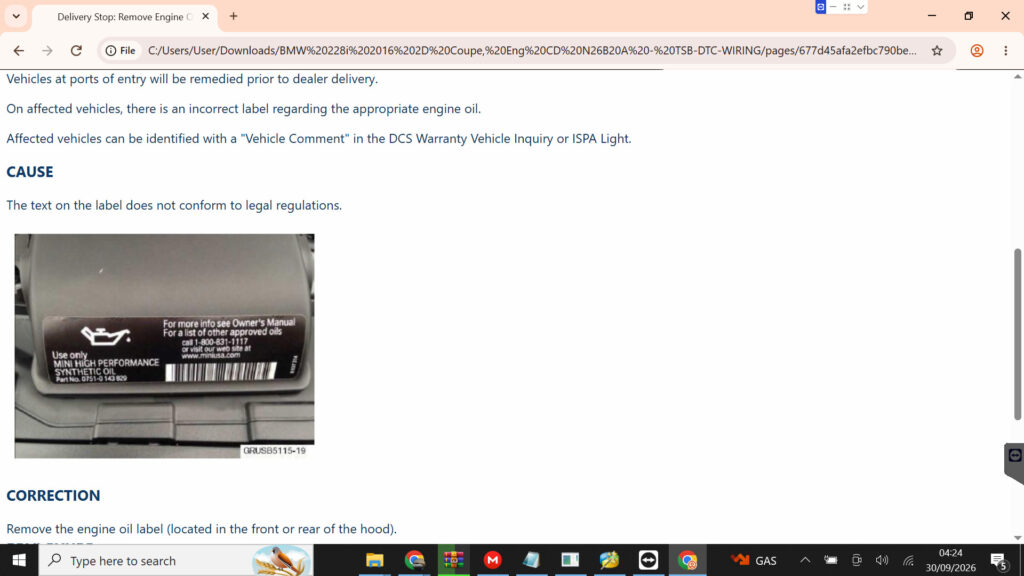
The Vehicle Information Package may include Technical Service Bulletins (TSBs) containing technical information about known vehicle symptoms, conditions, diagnostic findings, or recommended service procedures.
TSBs can be especially useful when a vehicle shows an unusual symptom but the cause is not immediately obvious. Instead of relying only on general troubleshooting, users can check whether the manufacturer has already documented a similar issue and provided relevant technical guidance.
What you can find:
- Known Symptoms – Information about unusual or recurring vehicle symptoms.
- Technical Conditions – Details about specific conditions under which an issue may occur.
- Diagnostic Information – Additional information that can help identify the cause of a problem.
- Service Procedures – Recommended procedures for addressing a documented issue.
- Vehicle Applicability – Information indicating which vehicle models, systems, or configurations the bulletin applies to.
Why it matters: A TSB can provide an additional diagnostic reference when a fault does not have an obvious cause. It can help technicians understand whether a particular symptom is a known issue and what technical procedure may be relevant.
Practical use: Identify the unusual symptom → search the available TSBs → check whether the vehicle and condition match → review the technical information or recommended procedure → use it as an additional reference during diagnosis.
Example: The package may contain manufacturer-issued TSB documents, such as Mercedes-Benz technical bulletins, allowing users to review documented technical information related to specific vehicle issues.
Example: One Vehicle, Multiple Information Sources
Example: Mercedes-Benz E300 2017 4Matic
A single vehicle can require different types of technical information depending on the problem you are trying to diagnose. The Mercedes-Benz E300 2017 4Matic technical information package demonstrates how different information sources are organized within one vehicle-specific package.
From DTC indexes and wiring diagrams to Technical Service Bulletins, campaigns, and safety recalls, the information can be accessed through the main index.html interface.

Start with the DTC
If the vehicle has a diagnostic trouble code, you can begin with the DTC Index and then narrow the search by system.
The E300 package includes DTC information for areas such as:
- Drivetrain Controls (CEPC)
- Engine Controls (Med40) — Engine 274
- Fuel Controls (FSCM_Gen4)
- Transmission 725.0 (VGSNAG3)
This allows you to move from a fault code to the relevant technical information for the corresponding system.
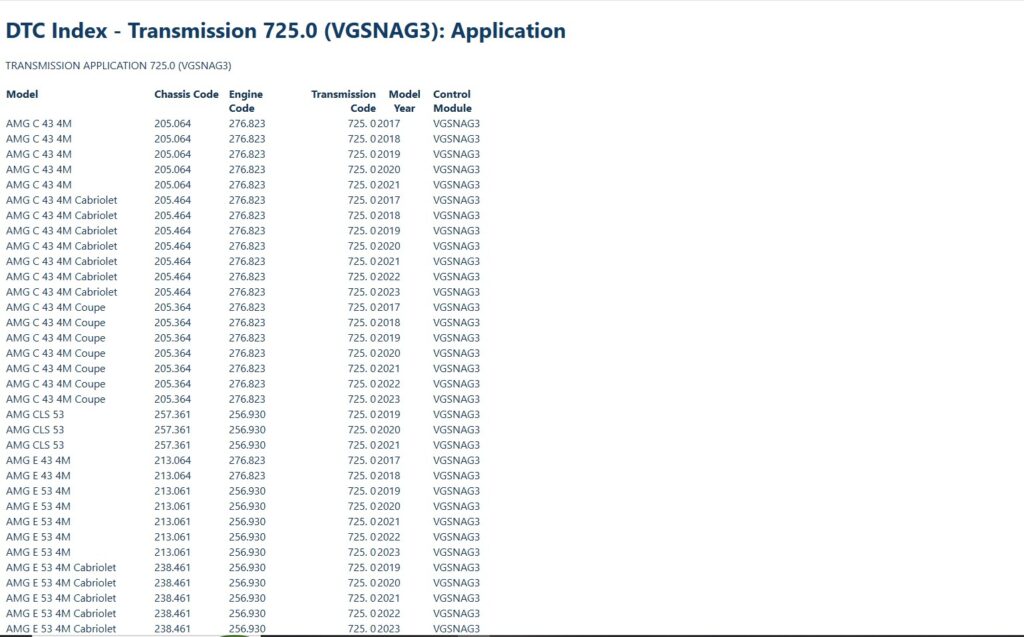
DTC Index Transmission 725.0 (VGSNAG3) – Mercedes-Benz E300 2017 4Matic
Continue with the Wiring Diagram
Once the relevant system has been identified, the package provides wiring information for different vehicle systems and components.
Examples include:
- Engine and engine management
- Transmission
- Brakes
- Steering
- Suspension
- Climate control
- Lighting
- Doors and windows
- Seats and restraint systems
- Instrument cluster
- Power distribution
- Communication and data lines
The package also contains specific wiring information for components such as the front central operating unit, engine hood contact switch, touchpad, audio/command display, and vehicle interior sockets.
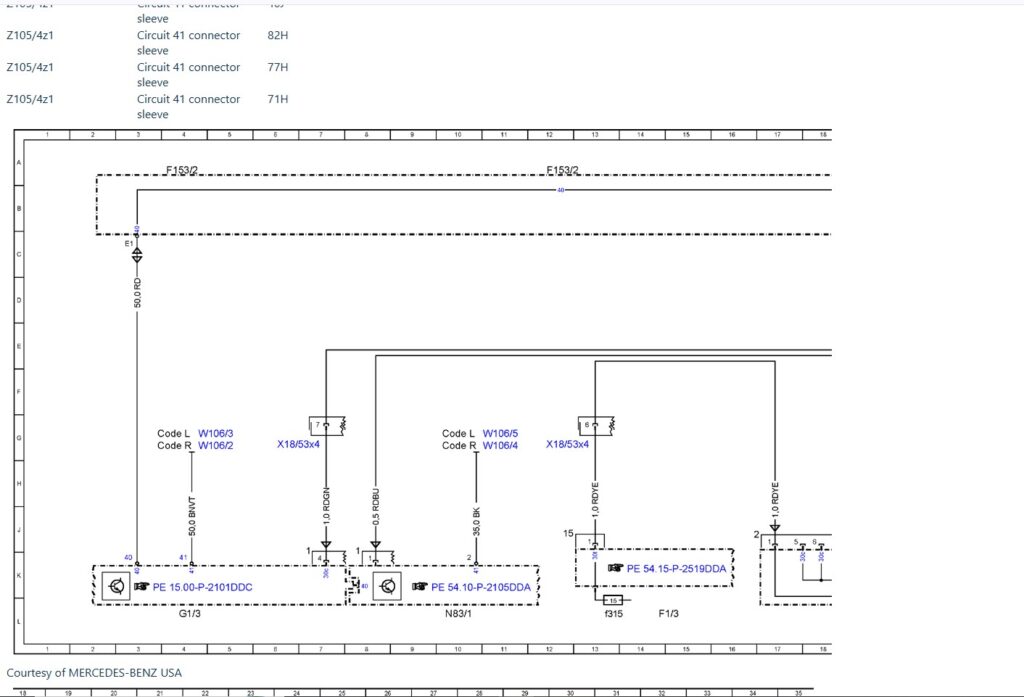
Wiring Diagram Of 48V On-Board Electrical System – PE54.10-P-2008-97DDA – Mercedes-Benz E300 2017 4Matic
Check the System Wiring
The E300 package also organizes System Wiring Diagrams by specific vehicle functions, including:
- Air Conditioning
- Anti-Lock Brakes
- Cruise Control
- Electronic Power Steering
- Electronic Suspension
- Engine Performance
- Exterior Lights
- Headlights
- Power Distribution
- Power Windows
- Starting/Charging
- Transmission
- Warning Systems
- Wiper/Washer
This makes it possible to approach the information from the system you are working on, rather than searching through unrelated documents.
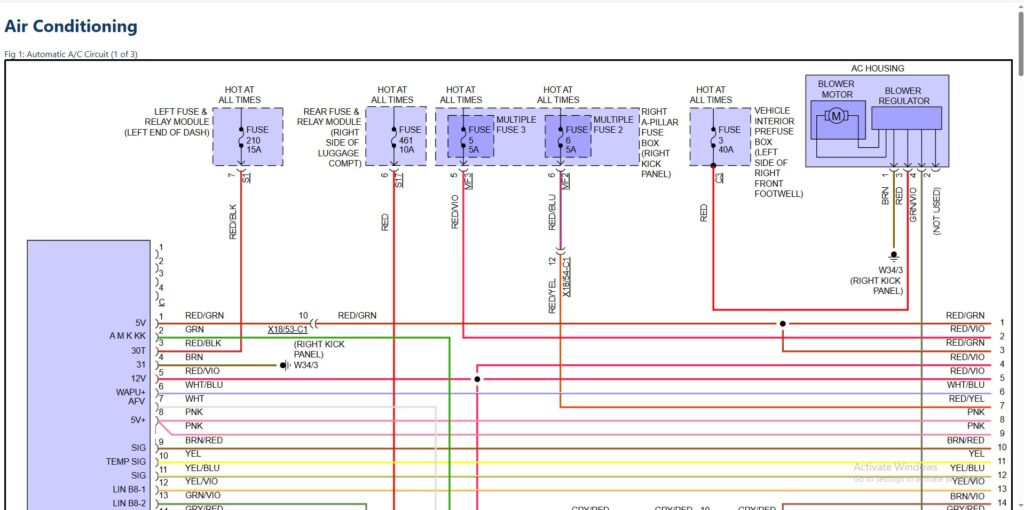
System Wiring Air Conditioning – Mercedes-Benz E300 2017 4Matic
Check Technical Bulletins, Campaigns & Recalls
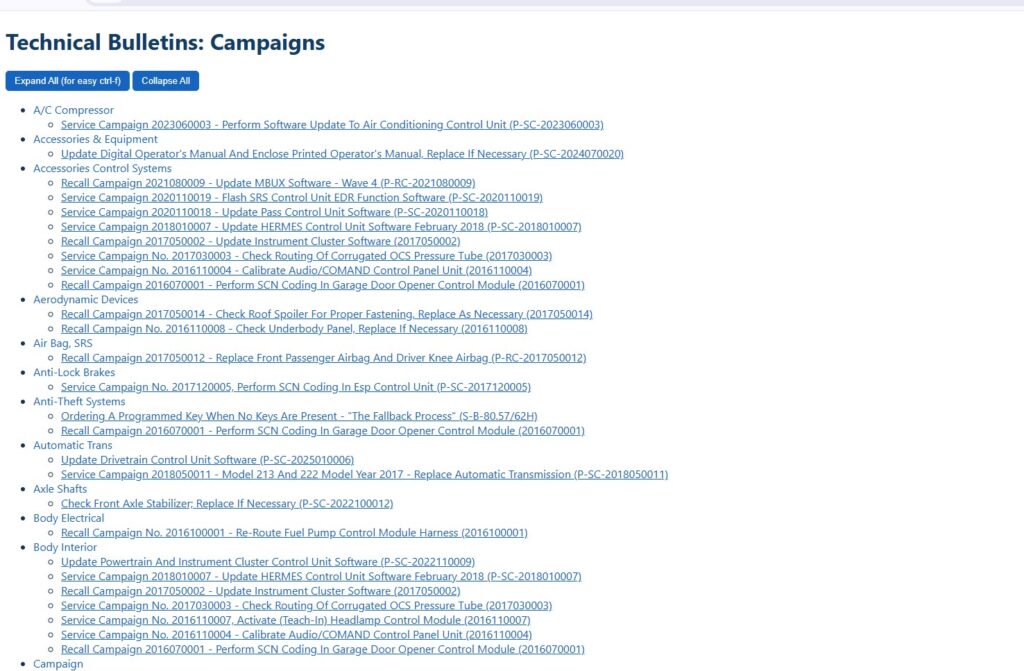
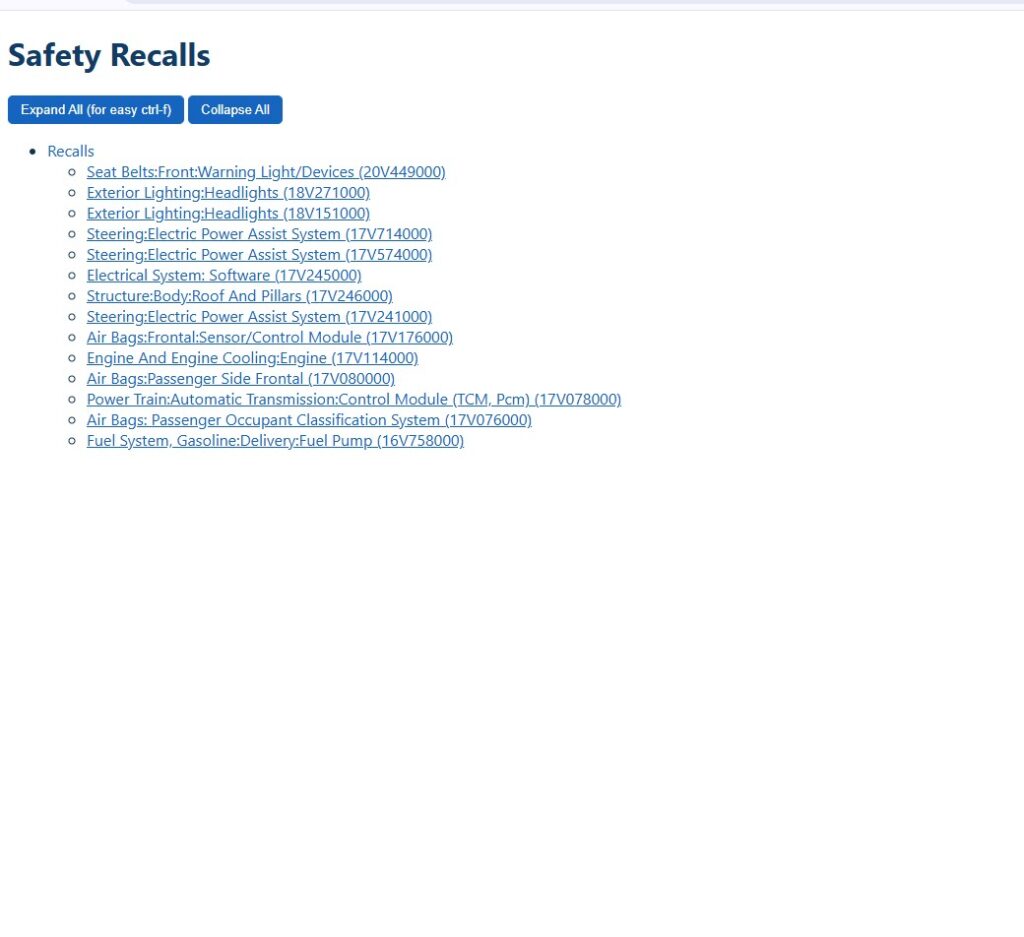
The same vehicle package also includes dedicated sections for:
- Technical Service Bulletins
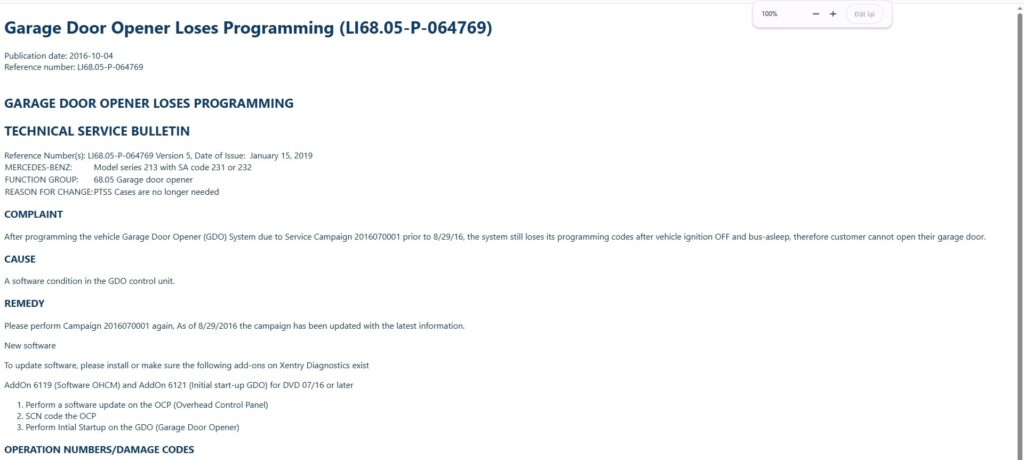
Technical Service Bulletins Garage Door Opener Loses Programming – Mercedes-Benz E300 2017 4Matic
- Campaigns
- Safety Recalls
Important Usage Note – Before You Start
- Download the complete vehicle package.
- Extract the files if they are compressed.
- Keep
index.html,pages, andassetstogether. - Open
index.htmlin your browser. - Use the index or Ctrl + F to find the information you need.
- Open the relevant technical page.
Conclusion
Diagnosing a vehicle often requires more than a single fault code or repair document. You may need to identify the system, understand the circuit, locate a connector, check a technical bulletin, or review campaign and recall information.
Our Vehicle Technical Information Service brings these different information sources together in a structured package for a specific vehicle.
From DTCs and wiring diagrams to function schematics, connector information, Technical Service Bulletins, campaigns, and safety recalls, the service gives you a practical way to explore the technical information related to the vehicle you are working on.
Whether you are a vehicle owner, workshop, technician, or automotive professional, the goal is simple:
Find the right technical information for the right vehicle — and use it to better understand, diagnose, and support the repair process.
One Vehicle. One Structured Technical Reference.